
How to get a backlink from Adobe Community?
Adobe Community is useful when your link genuinely helps an Adobe product user solve a problem. The fastest defensible route is not the retired forums.adobe.com host; it is a relevant question, answer, or discussion on the current community.adobe.com forum.
Method: Add a helpful resource link in a relevant post or reply
- Go to Adobe Community and create or sign in to an Adobe account.
- Use the product/category picker to find the community that matches your expertise, such as Photoshop, Acrobat, Illustrator, Premiere Pro, or Adobe Express.
- Click Create a post or reply to an existing thread where your resource directly answers the question.
- Add the external URL only where it is part of the answer: a script, documentation page, tutorial, bug reproduction, or downloadable resource that makes sense for that thread.
- Publish, then check the public thread while logged out or in a private browser window.
A public Adobe Community thread can contain external resource links, but the inspected user-added links are marked nofollow ugc:
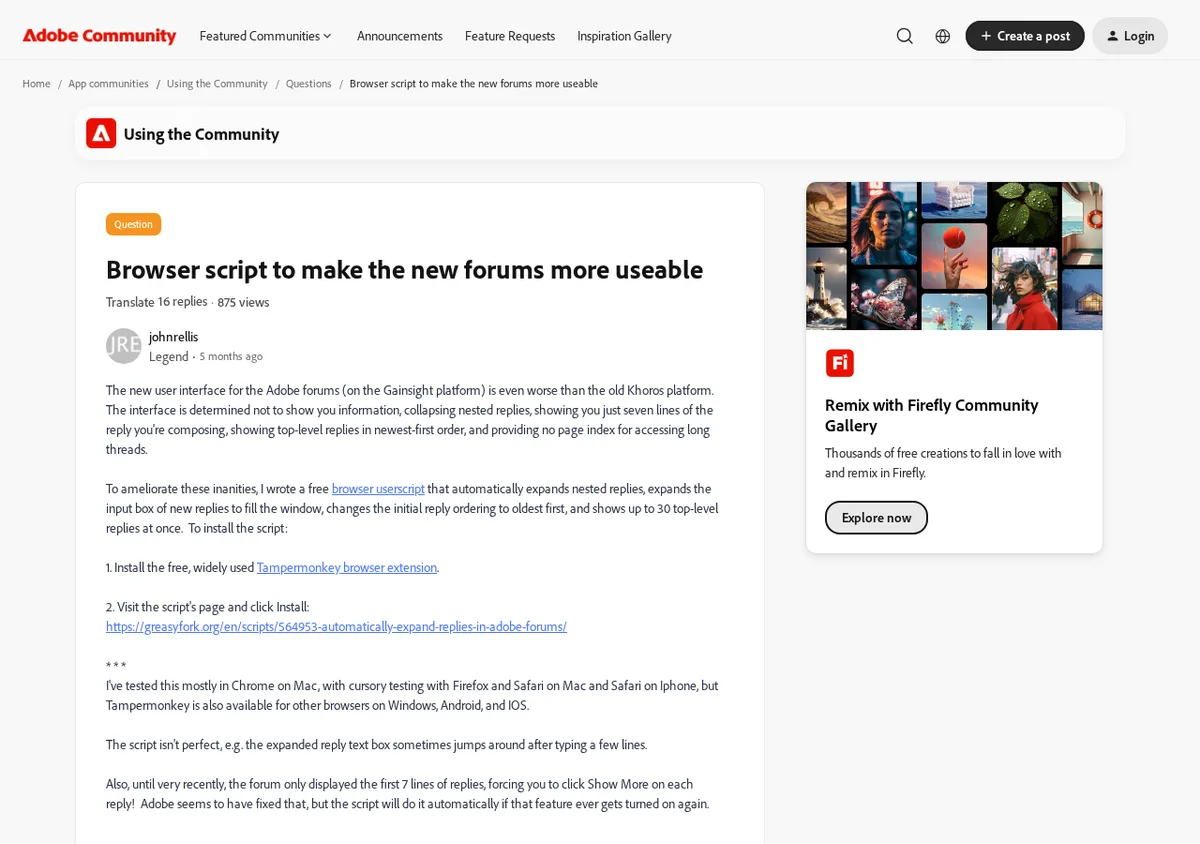
What to expect from the link
Adobe Community is better for qualified referral traffic and product-support visibility than direct SEO equity. On the inspected thread, external links in the post body used rel="noreferrer noopener nofollow ugc", which means the recommended method should be treated as a nofollow user-generated link.
The upside is credibility: Adobe product threads can rank for very specific troubleshooting and workflow searches. A useful answer that links to a genuinely relevant resource may still send visitors who are already trying to solve the exact problem your page addresses.
Avoid the spam path
Do not create an Adobe account only to drop a homepage link into unrelated product discussions. Keep the anchor natural, disclose your connection if the linked resource is yours, and only answer threads where you can add practical Adobe-specific help. Thin promotional replies are the most likely way to waste the account and lose the link.
Backlink signals
Editorial estimates for comparing this provider.
- Dofollow linksUsually nofollowWe set this after checking whether the recommended backlink method on this provider typically outputs a dofollow link in the page HTML. If attributes vary by page type, we use the realistic default for that path and explain the nuance in the guide.
- No. We set this after checking whether the recommended backlink method on this provider typically outputs a dofollow link in the page HTML. If attributes vary by page type, we use the realistic default for that path and explain the nuance in the guide.
- Backlink valueEditorial estimateBacklink value is our 0-100 editorial estimate of how much authority a page you create here would actually carry. We score the page you would end up with - not the provider homepage - from how strongly the platform links to and indexes that page type, how much editorial review stands behind it, and what comparable pages are worth in practice. Most new pages anywhere are worth little; a few platforms hand a fresh page real strength straight away. It is a comparison estimate, not a measurement, and it will not match any third-party tool.
- 15/100. Backlink value is our 0-100 editorial estimate of how much authority a page you create here would actually carry. We score the page you would end up with - not the provider homepage - from how strongly the platform links to and indexes that page type, how much editorial review stands behind it, and what comparable pages are worth in practice. Most new pages anywhere are worth little; a few platforms hand a fresh page real strength straight away. It is a comparison estimate, not a measurement, and it will not match any third-party tool.
- Spam ratingLower is betterWe use spam score when we have a defensible value for the relevant domain or surface, otherwise a conservative Backlink Badger editorial estimate from platform quality and spam patterns. Treat it as an approximate comparison guide, not a guarantee of how search engines evaluate the site.
- 1/100. We use spam score when we have a defensible value for the relevant domain or surface, otherwise a conservative Backlink Badger editorial estimate from platform quality and spam patterns. Treat it as an approximate comparison guide, not a guarantee of how search engines evaluate the site.
- Acquisition difficultyLower is easierBacklink Badger assigns this 0–100 score from editorial review of signup friction, content requirements, approval gates, and account trust for the recommended path. It is an approximate comparison estimate, not a measured difficulty metric.
- 55/100. Backlink Badger assigns this 0–100 score from editorial review of signup friction, content requirements, approval gates, and account trust for the recommended path. It is an approximate comparison estimate, not a measured difficulty metric.
- Time estimateTypical setupWe estimate the minimum minutes a prepared user needs to sign up, set up, and publish or submit the backlink, including obvious waiting steps we can reasonably predict. This Backlink Badger estimate is approximate - your first attempt or extra verification may take longer.
- ~20 min. We estimate the minimum minutes a prepared user needs to sign up, set up, and publish or submit the backlink, including obvious waiting steps we can reasonably predict. This Backlink Badger estimate is approximate - your first attempt or extra verification may take longer.
- Free optionNo required spendWe mark Yes when the recommended backlink path can be completed without paying the provider for access, placement, or a required plan. If only paid tiers unlock the link, or payment is commonly required in practice, we mark No.
- Yes. We mark Yes when the recommended backlink path can be completed without paying the provider for access, placement, or a required plan. If only paid tiers unlock the link, or payment is commonly required in practice, we mark No.
Provider overview
Adobe Community is Adobe's public support and product discussion forum. Users can create an Adobe account, ask or answer product questions, and include helpful external resources when they genuinely support the discussion.
Minimum requirements to get a backlink from Adobe Community
- Adobe account
- Relevant product context
- Helpful external resource
Key challenges to get a backlink from Adobe Community
- Legacy URL moved: The old forums.adobe.com host no longer resolves; use community.adobe.com instead.
- Nofollow UGC links: Inspected user-post links use nofollow and ugc, so treat this as referral and support visibility rather than a PageRank play.
- Moderation risk: Promotional replies, irrelevant tool drops, or thin self-promotion can be removed or ignored by the community.
Similar providers

SB Nation
Nofollow · Free
- Time estimateWe estimate the minimum minutes a prepared user needs to sign up, set up, and publish or submit the backlink, including obvious waiting steps we can reasonably predict. This Backlink Badger estimate is approximate - your first attempt or extra verification may take longer.
- 20m

OpenStreetMap
Nofollow · Free
- Time estimateWe estimate the minimum minutes a prepared user needs to sign up, set up, and publish or submit the backlink, including obvious waiting steps we can reasonably predict. This Backlink Badger estimate is approximate - your first attempt or extra verification may take longer.
- 20m

Future Tools
Nofollow · Free
- Time estimateWe estimate the minimum minutes a prepared user needs to sign up, set up, and publish or submit the backlink, including obvious waiting steps we can reasonably predict. This Backlink Badger estimate is approximate - your first attempt or extra verification may take longer.
- 20m