
How to get a backlink from Medium?
Medium is useful when you have a real article, essay, case study, or founder note that belongs on a public writing platform. The fastest backlink path is either a short URL in your Medium profile bio or a contextual link inside a published story. Do not expect dofollow SEO equity from story links; use Medium for indexable writing, referral traffic, and audience discovery.
Method 1: Add a link to your Medium profile bio
- Create or sign in to a Medium account.
- Open your profile menu, choose Settings, and find Profile information.
- Add a concise bio. Medium’s Help Center says the bio can be up to 160 characters and may include a link.
- Save the profile and visit your public profile URL, such as
medium.com/@yournameoryourname.medium.comif you enable the subdomain URL.
This is the quickest placement, but it is a small profile citation. It is best for entity consistency and giving readers a route back to your site, not for passing strong page authority.
Method 2: Publish a story with a contextual backlink
- Click Write or open medium.com/new-story to start a draft.
- Write a real story that fits Medium: a tutorial, opinion essay, product lesson, research note, or case study.
- Highlight relevant anchor text, click the chain icon in the Medium editor, paste your URL, and press Enter.
- Publish the story, then inspect the public page and confirm the link appears in context.
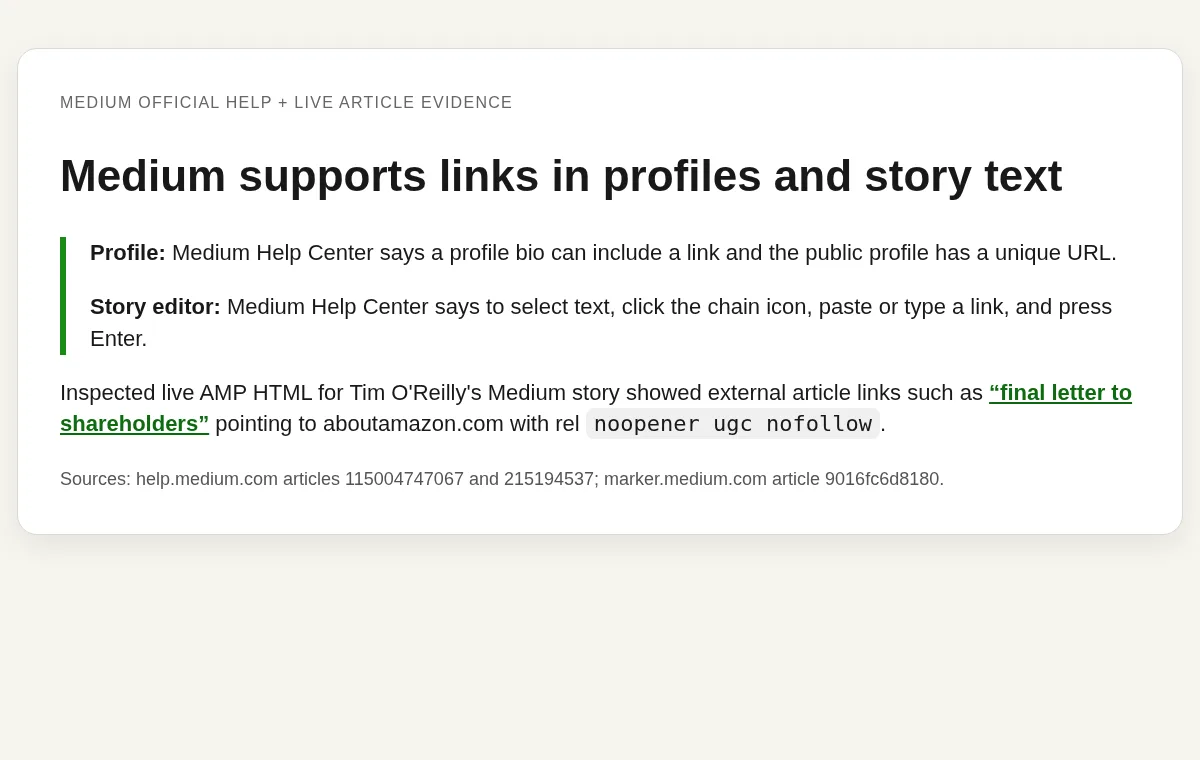
The inspected public example was Tim O’Reilly’s Medium story on Marker. Its external links, including an About Amazon citation, rendered in the live AMP HTML with rel="noopener ugc nofollow". That makes the story method honest but conservative: it can still send readers and appear in search, but it should not be sold as a dofollow authority backlink.
Practical advice
Use Medium only when the content stands on its own. A copied blog post with one promotional link is weak; a useful original story with one relevant source or project link is much safer. Medium’s rules say violations can lead to account restrictions or content suspension, and Medium’s distribution docs say low-quality stories may be removed from broader network distribution even if they remain visible to your followers.
Backlink signals
Editorial estimates for comparing this provider.
- Dofollow linksUsually nofollowWe set this after checking whether the recommended backlink method on this provider typically outputs a dofollow link in the page HTML. If attributes vary by page type, we use the realistic default for that path and explain the nuance in the guide.
- No. We set this after checking whether the recommended backlink method on this provider typically outputs a dofollow link in the page HTML. If attributes vary by page type, we use the realistic default for that path and explain the nuance in the guide.
- Backlink valueEditorial estimateBacklink value is our 0-100 editorial estimate of how much authority a page you create here would actually carry. We score the page you would end up with - not the provider homepage - from how strongly the platform links to and indexes that page type, how much editorial review stands behind it, and what comparable pages are worth in practice. Most new pages anywhere are worth little; a few platforms hand a fresh page real strength straight away. It is a comparison estimate, not a measurement, and it will not match any third-party tool.
- 10/100. Backlink value is our 0-100 editorial estimate of how much authority a page you create here would actually carry. We score the page you would end up with - not the provider homepage - from how strongly the platform links to and indexes that page type, how much editorial review stands behind it, and what comparable pages are worth in practice. Most new pages anywhere are worth little; a few platforms hand a fresh page real strength straight away. It is a comparison estimate, not a measurement, and it will not match any third-party tool.
- Spam ratingLower is betterWe use spam score when we have a defensible value for the relevant domain or surface, otherwise a conservative Backlink Badger editorial estimate from platform quality and spam patterns. Treat it as an approximate comparison guide, not a guarantee of how search engines evaluate the site.
- 2/100. We use spam score when we have a defensible value for the relevant domain or surface, otherwise a conservative Backlink Badger editorial estimate from platform quality and spam patterns. Treat it as an approximate comparison guide, not a guarantee of how search engines evaluate the site.
- Acquisition difficultyLower is easierBacklink Badger assigns this 0–100 score from editorial review of signup friction, content requirements, approval gates, and account trust for the recommended path. It is an approximate comparison estimate, not a measured difficulty metric.
- 40/100. Backlink Badger assigns this 0–100 score from editorial review of signup friction, content requirements, approval gates, and account trust for the recommended path. It is an approximate comparison estimate, not a measured difficulty metric.
- Time estimateTypical setupWe estimate the minimum minutes a prepared user needs to sign up, set up, and publish or submit the backlink, including obvious waiting steps we can reasonably predict. This Backlink Badger estimate is approximate - your first attempt or extra verification may take longer.
- ~30 min. We estimate the minimum minutes a prepared user needs to sign up, set up, and publish or submit the backlink, including obvious waiting steps we can reasonably predict. This Backlink Badger estimate is approximate - your first attempt or extra verification may take longer.
- Free optionNo required spendWe mark Yes when the recommended backlink path can be completed without paying the provider for access, placement, or a required plan. If only paid tiers unlock the link, or payment is commonly required in practice, we mark No.
- Yes. We mark Yes when the recommended backlink path can be completed without paying the provider for access, placement, or a required plan. If only paid tiers unlock the link, or payment is commonly required in practice, we mark No.
- Linking domainsExternal signalWhen shown, this optional count comes from SEO research on the provider or relevant backlink surface and is rounded with a ~ prefix on the page. It is a Backlink Badger estimate for comparison and may be outdated or imprecise versus live crawlers.
- ~1,200,000. When shown, this optional count comes from SEO research on the provider or relevant backlink surface and is rounded with a ~ prefix on the page. It is a Backlink Badger estimate for comparison and may be outdated or imprecise versus live crawlers.
- Ranking keywordsExternal signalWhen shown, this count reflects researched ranking-keyword data for the provider domain or surface, displayed as an approximate ~ value. Treat it as a Backlink Badger comparison estimate that can drift as indexes and rankings change.
- ~9,000,000. When shown, this count reflects researched ranking-keyword data for the provider domain or surface, displayed as an approximate ~ value. Treat it as a Backlink Badger comparison estimate that can drift as indexes and rankings change.
- Inbound linksExternal signalWhen shown, this is an optional researched count of inbound links to the provider or relevant surface, formatted as an approximate estimate. Backlink Badger includes it only when defensible - it is not live-crawled data.
- ~40,000,000. When shown, this is an optional researched count of inbound links to the provider or relevant surface, formatted as an approximate estimate. Backlink Badger includes it only when defensible - it is not live-crawled data.
Provider overview
Medium is a publishing platform where writers can create public profile pages and publish stories under a Medium URL or Medium subdomain. A legitimate story or profile bio can include an external link, but inspected story links are user-generated nofollow links rather than dofollow authority links.
Minimum requirements to get a backlink from Medium
- Email or social login
- Medium account
- Useful story or profile bio
Key challenges to get a backlink from Medium
- Nofollow story links: Inspected external links in a public Medium story used
rel="noopener ugc nofollow", so treat them as referral and discovery links. - Quality bar: Thin promotional posts can be ignored, limited in distribution, or removed under Medium's rules.
- Headless access caveat: Medium and its Help Center returned Cloudflare challenges to this runtime, so evidence combines official Help Center text via an accessible reader view with live AMP HTML inspection from a public story.
Frequently asked questions about Medium backlinks
Are Medium backlinks dofollow?
No. Inspected external links in public Medium stories carry rel="noopener ugc nofollow", so treat Medium links as nofollow referral and discovery links rather than dofollow authority links.
Does it cost anything to get a backlink from Medium?
No. Creating a Medium account, adding a link to your profile bio, and publishing a story with a contextual link are all free.
What is the fastest way to place a Medium backlink?
Adding a short URL to your Medium profile bio, which Medium's Help Center says can be up to 160 characters and may include a link. Publishing a story with a contextual link takes longer but gives the link real context.
Similar providers

GitHub Repositories
Nofollow · Free
- Time estimateWe estimate the minimum minutes a prepared user needs to sign up, set up, and publish or submit the backlink, including obvious waiting steps we can reasonably predict. This Backlink Badger estimate is approximate - your first attempt or extra verification may take longer.
- 30m

DeviantArt
Nofollow · Free
- Time estimateWe estimate the minimum minutes a prepared user needs to sign up, set up, and publish or submit the backlink, including obvious waiting steps we can reasonably predict. This Backlink Badger estimate is approximate - your first attempt or extra verification may take longer.
- 30m

Alpha Coders
Nofollow · Free
- Time estimateWe estimate the minimum minutes a prepared user needs to sign up, set up, and publish or submit the backlink, including obvious waiting steps we can reasonably predict. This Backlink Badger estimate is approximate - your first attempt or extra verification may take longer.
- 30m