How to get a backlink from AllMyFaves?
AllMyFaves has two link surfaces: the curated main directory and each user’s public My Faves page. The curated directory is manually selected, so the realistic self-service method is to create a public user tab and add your site as one of the visual favorites.
Steps
- Create an account from the AllMyFaves registration page. Expect email signup and a Turnstile-style bot check.
- Open your MyFaves area and create or choose a public tab for the sites you want to show.
- Use Add your own faves or the favorite-cell editor to add the destination URL, a clear title, and a logo if AllMyFaves does not fetch one automatically.
- Confirm the tab is not private. A private tab may help you organize bookmarks, but it will not create a public backlink.
- Visit your public profile URL, usually
https://allmyfaves.com/<username>, and check that the tile opens your target site.
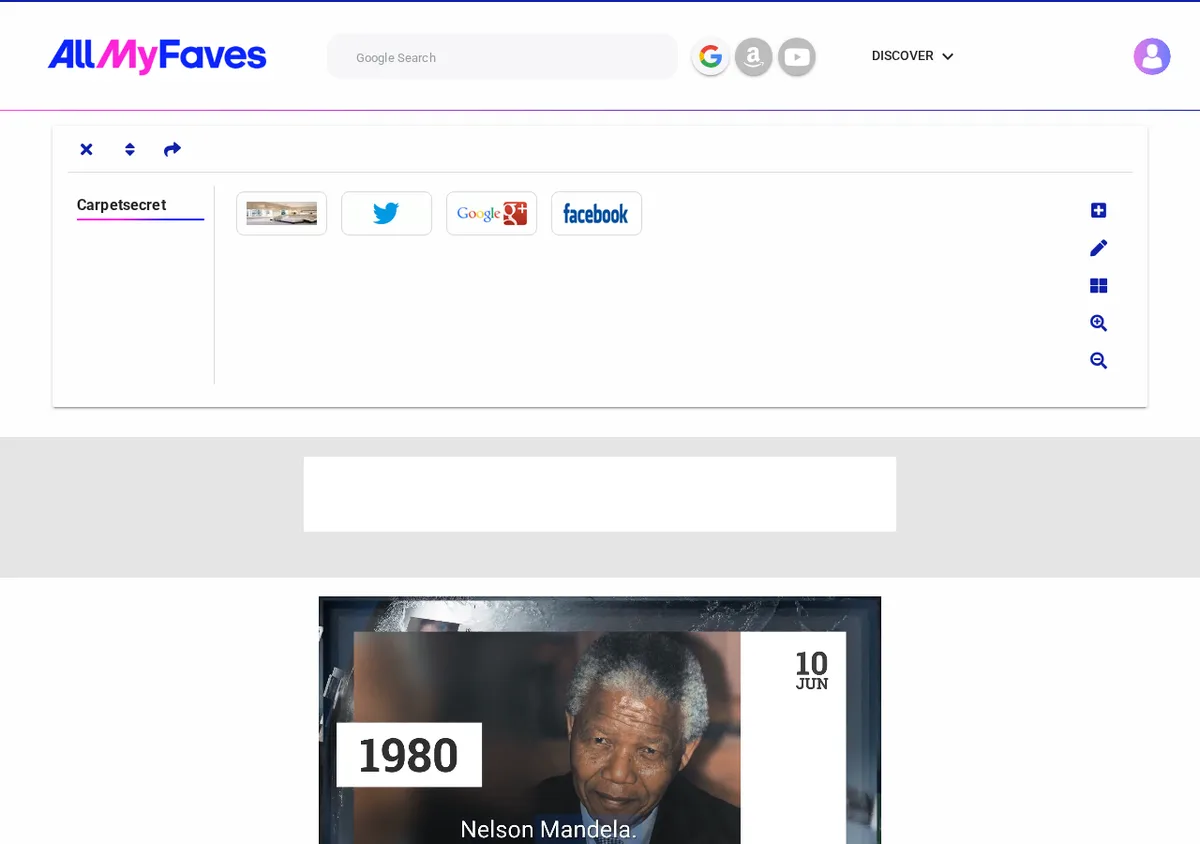
The inspected example profile shows public favorite tiles for an external site and social profiles. Browser DOM inspection found the user-added links rendering as rel="nofollow", so this is best counted as a public citation and possible referral link rather than a dofollow SEO link.
Notes on link quality
AllMyFaves’ homepage and category pages contain many external links, but those are editorial selections rather than a guaranteed self-service submission. Use the public-user-page method only when a visual bookmark page makes sense for your brand or resource list. Do not create a thin profile with unrelated links just to force a backlink; the page will look spammy and the nofollow attribute limits direct SEO value anyway.
Backlink signals
Editorial estimates for comparing this provider.
- Dofollow linksUsually nofollowWe set this after checking whether the recommended backlink method on this provider typically outputs a dofollow link in the page HTML. If attributes vary by page type, we use the realistic default for that path and explain the nuance in the guide.
- No. We set this after checking whether the recommended backlink method on this provider typically outputs a dofollow link in the page HTML. If attributes vary by page type, we use the realistic default for that path and explain the nuance in the guide.
- Backlink valueEditorial estimateBacklink value is our 0-100 editorial estimate of how much authority a page you create here would actually carry. We score the page you would end up with - not the provider homepage - from how strongly the platform links to and indexes that page type, how much editorial review stands behind it, and what comparable pages are worth in practice. Most new pages anywhere are worth little; a few platforms hand a fresh page real strength straight away. It is a comparison estimate, not a measurement, and it will not match any third-party tool.
- 2/100. Backlink value is our 0-100 editorial estimate of how much authority a page you create here would actually carry. We score the page you would end up with - not the provider homepage - from how strongly the platform links to and indexes that page type, how much editorial review stands behind it, and what comparable pages are worth in practice. Most new pages anywhere are worth little; a few platforms hand a fresh page real strength straight away. It is a comparison estimate, not a measurement, and it will not match any third-party tool.
- Spam ratingLower is betterWe use spam score when we have a defensible value for the relevant domain or surface, otherwise a conservative Backlink Badger editorial estimate from platform quality and spam patterns. Treat it as an approximate comparison guide, not a guarantee of how search engines evaluate the site.
- 14/100. We use spam score when we have a defensible value for the relevant domain or surface, otherwise a conservative Backlink Badger editorial estimate from platform quality and spam patterns. Treat it as an approximate comparison guide, not a guarantee of how search engines evaluate the site.
- Acquisition difficultyLower is easierBacklink Badger assigns this 0–100 score from editorial review of signup friction, content requirements, approval gates, and account trust for the recommended path. It is an approximate comparison estimate, not a measured difficulty metric.
- 28/100. Backlink Badger assigns this 0–100 score from editorial review of signup friction, content requirements, approval gates, and account trust for the recommended path. It is an approximate comparison estimate, not a measured difficulty metric.
- Time estimateTypical setupWe estimate the minimum minutes a prepared user needs to sign up, set up, and publish or submit the backlink, including obvious waiting steps we can reasonably predict. This Backlink Badger estimate is approximate - your first attempt or extra verification may take longer.
- ~10 min. We estimate the minimum minutes a prepared user needs to sign up, set up, and publish or submit the backlink, including obvious waiting steps we can reasonably predict. This Backlink Badger estimate is approximate - your first attempt or extra verification may take longer.
- Free optionNo required spendWe mark Yes when the recommended backlink path can be completed without paying the provider for access, placement, or a required plan. If only paid tiers unlock the link, or payment is commonly required in practice, we mark No.
- Yes. We mark Yes when the recommended backlink path can be completed without paying the provider for access, placement, or a required plan. If only paid tiers unlock the link, or payment is commonly required in practice, we mark No.
Provider overview
AllMyFaves is a visual bookmarking and homepage service where users organize favorite sites as logo-based tiles. A free account can create a public My Faves page with external favorite links, but the self-service links should be treated as nofollow citation and referral links rather than authority-passing backlinks.
Minimum requirements to get a backlink from AllMyFaves
- Create a free AllMyFaves account
- Keep the profile or tab public
- Prepare the target URL and clear tile title
- Optional square logo for the favorite tile
Key challenges to get a backlink from AllMyFaves
- Nofollow user links: Public user-tab links render with
rel="nofollow", so treat them as citation and referral links, not a dofollow authority play. - Public visibility required: Private tabs and incomplete profiles will not create a useful public backlink.
- JavaScript-rendered pages: The profile surface is a single-page app, which makes the link less dependable than a plain static directory page.
- Spam signal risk: Some public user pages are low quality, so keep the profile legitimate and avoid stuffing unrelated favorite links.